Architecture Learning Portal - Career Paths & Training for Enterprise Architects
Designing a training and career development portal for the architecture community — enabling architects to discover relevant courses, build personalized learning paths, and track progress toward their career goals.
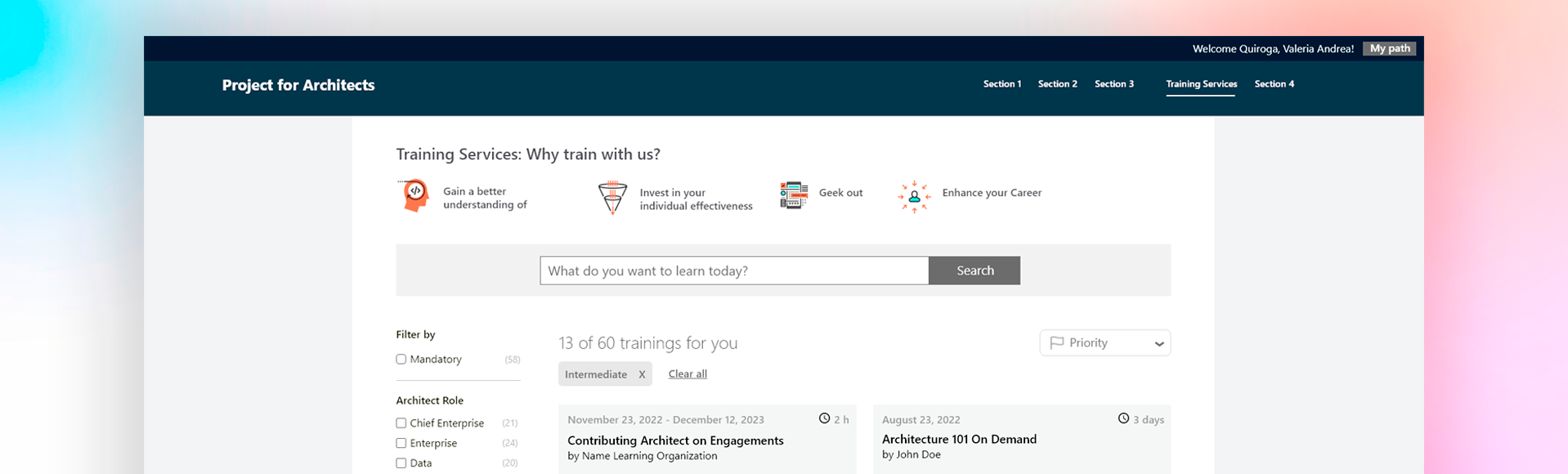
A learning portal built around how architects actually think
A large organization's architecture community needed a portal where architects could discover training, build personalized career paths, and track their development. The challenge was designing a system that made a growing course catalog navigable for users with a technical mindset and specific career goals, without overwhelming them.
The design was built entirely within an existing corporate design system with significant constraints. Where standard components didn't cover the portal's needs, existing elements were adapted and extended rather than replaced, maintaining consistency with the broader platform while solving interaction patterns the system hadn't addressed before.
Working initially with a senior designer and completing the project independently in close collaboration with the architecture team.
A familiar pattern for a technical audience
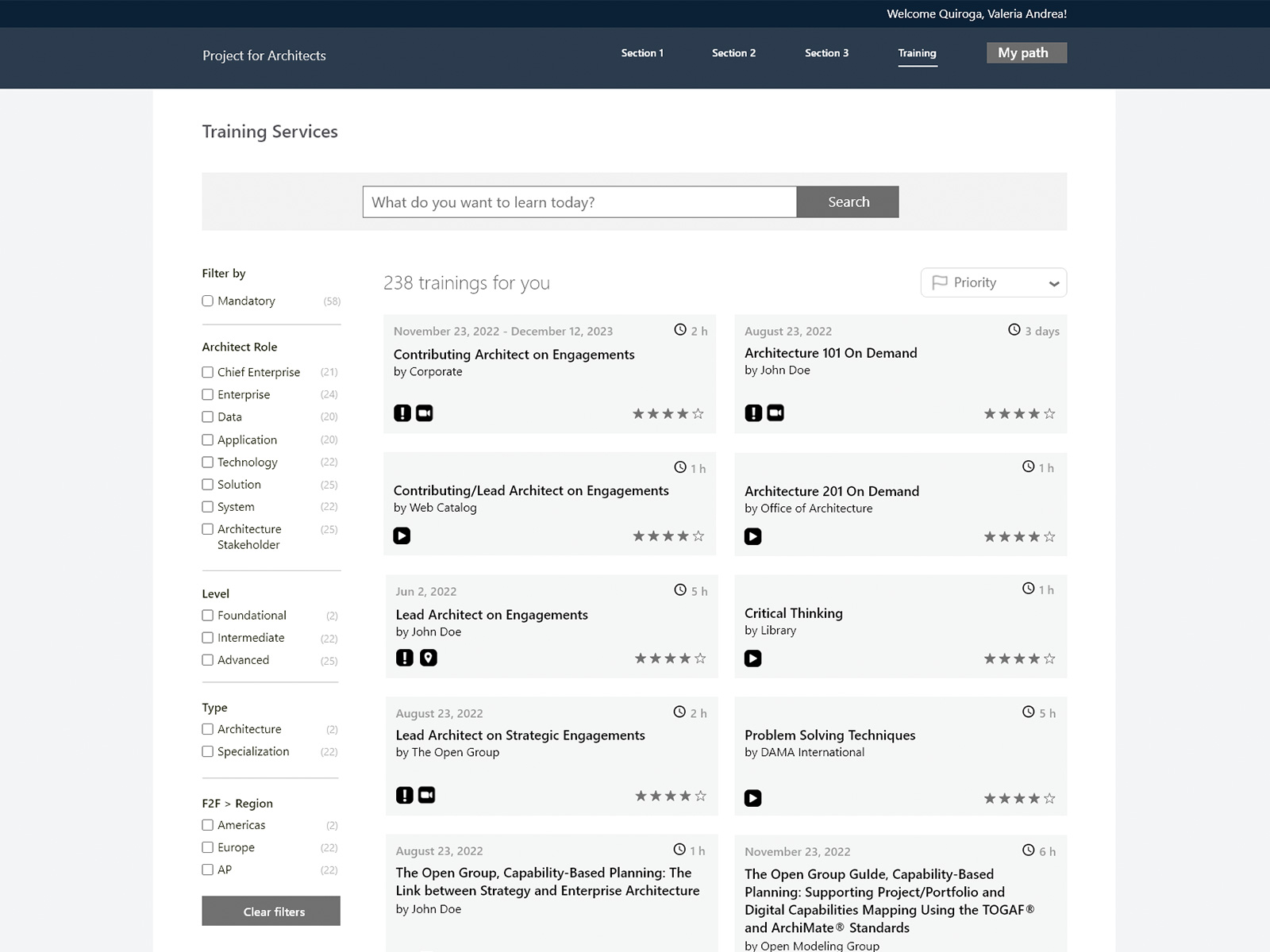
Training catalog — built to scale from day one. The catalog launched with 60 courses and no upper limit by design. Infinite scroll replaces pagination: courses load as the user moves down, following the same pattern as video platforms the architecture community already uses daily. Card design surfaces title, provider, duration, format, and rating at a glance, reducing the need to open each course to evaluate it.
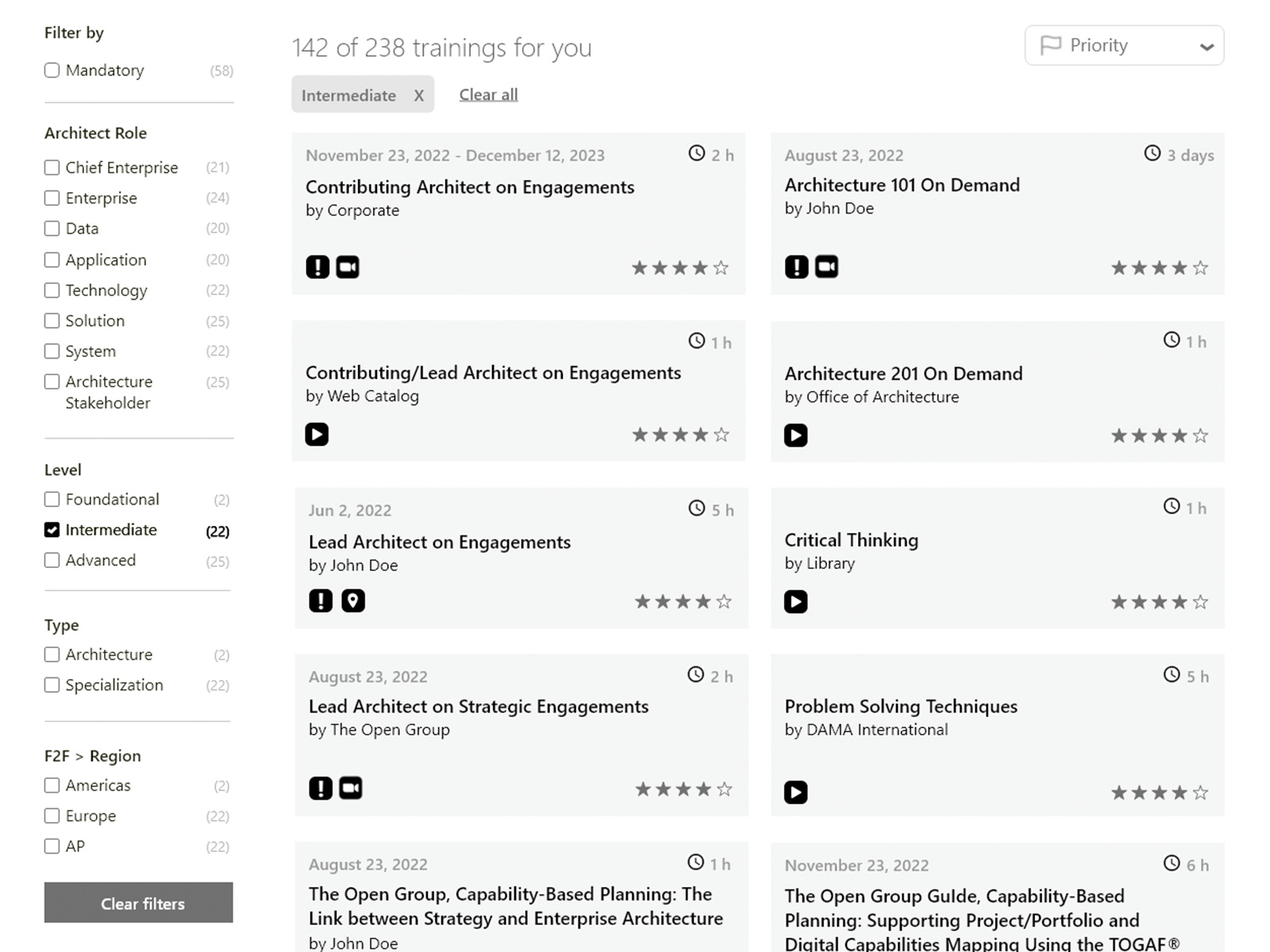
Faceted filtering — from the full catalog to exactly what you need. Filters by architect role, level, type, and region narrow results without requiring search. When a user logs in, their architect role is recognized automatically and the catalog pre-filters to their profile. The dropdown allows manual override for users who want to explore other paths. Active filters appear as removable tags below the search bar, with Clear All available both there and at the bottom of the filter panel, so users can reset from wherever they are on the page without scrolling.
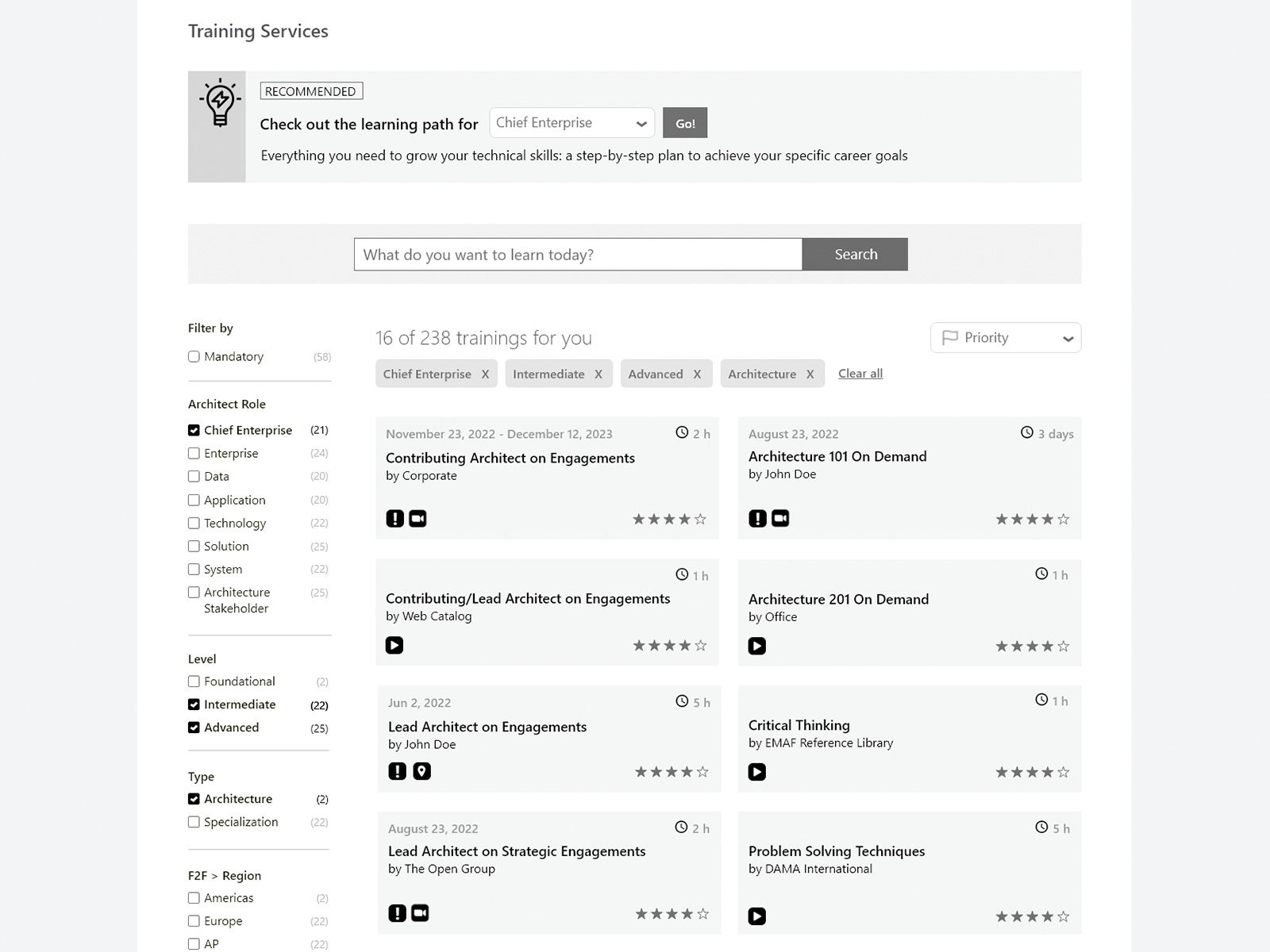
Contextual recommendation — learning paths surfaced at the right moment. When a role filter is active, a recommendation banner appears prompting the user to check out their role-specific learning path. The banner appears in context rather than as a persistent element, surfacing the suggestion only when the user's intent signals they might be ready for it.
Career context and learning action in the same view
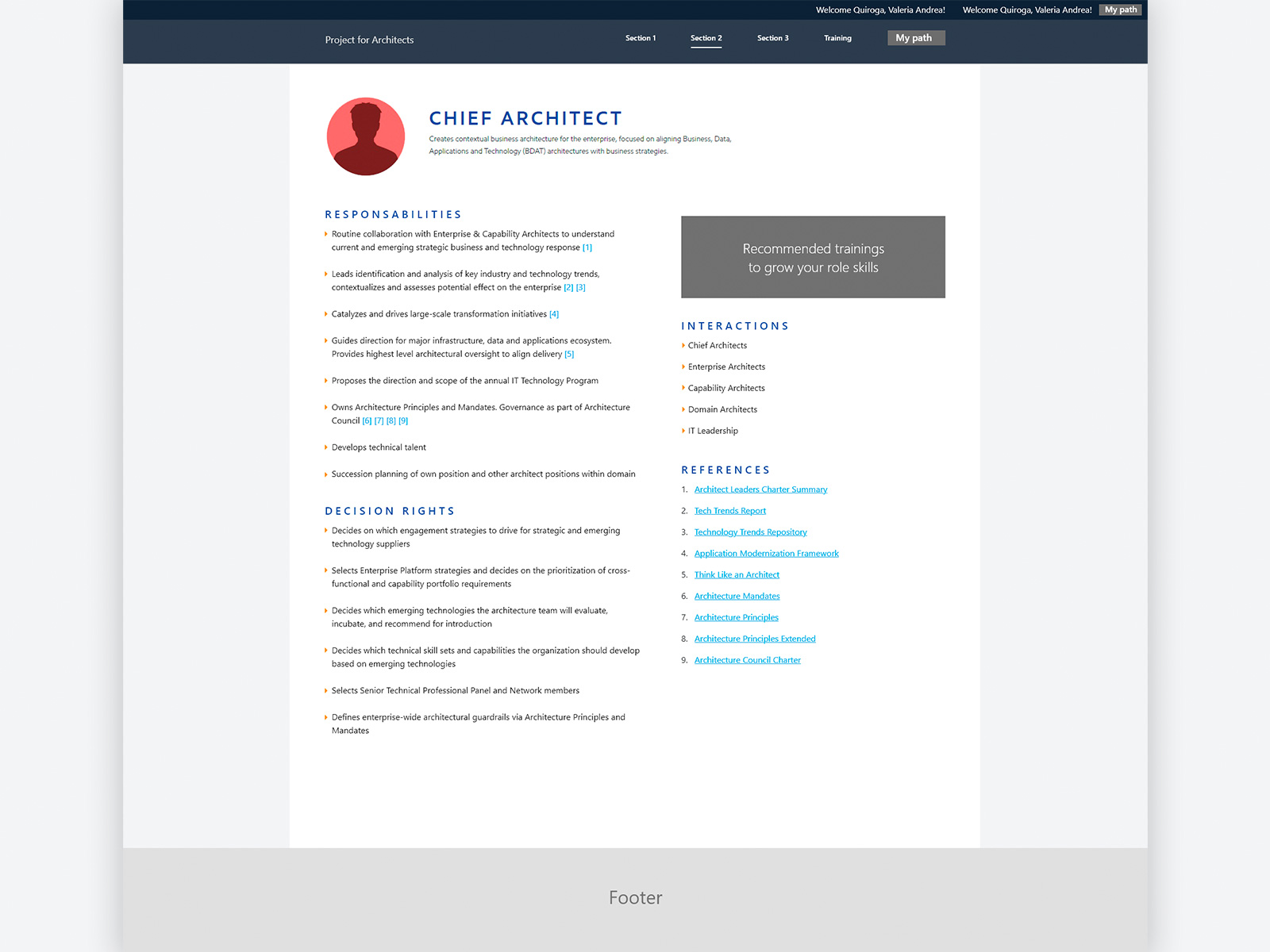
Role detail — responsibilities, decision rights, and interactions. Each architect role has a dedicated page defining responsibilities, decision rights, peer interactions, and reference documents. The two-column layout separates responsibilities from recommended trainings, keeping career context and learning action in the same view without competing for attention. Some content has been modified to preserve confidentiality.
Everything needed to decide, in one screen
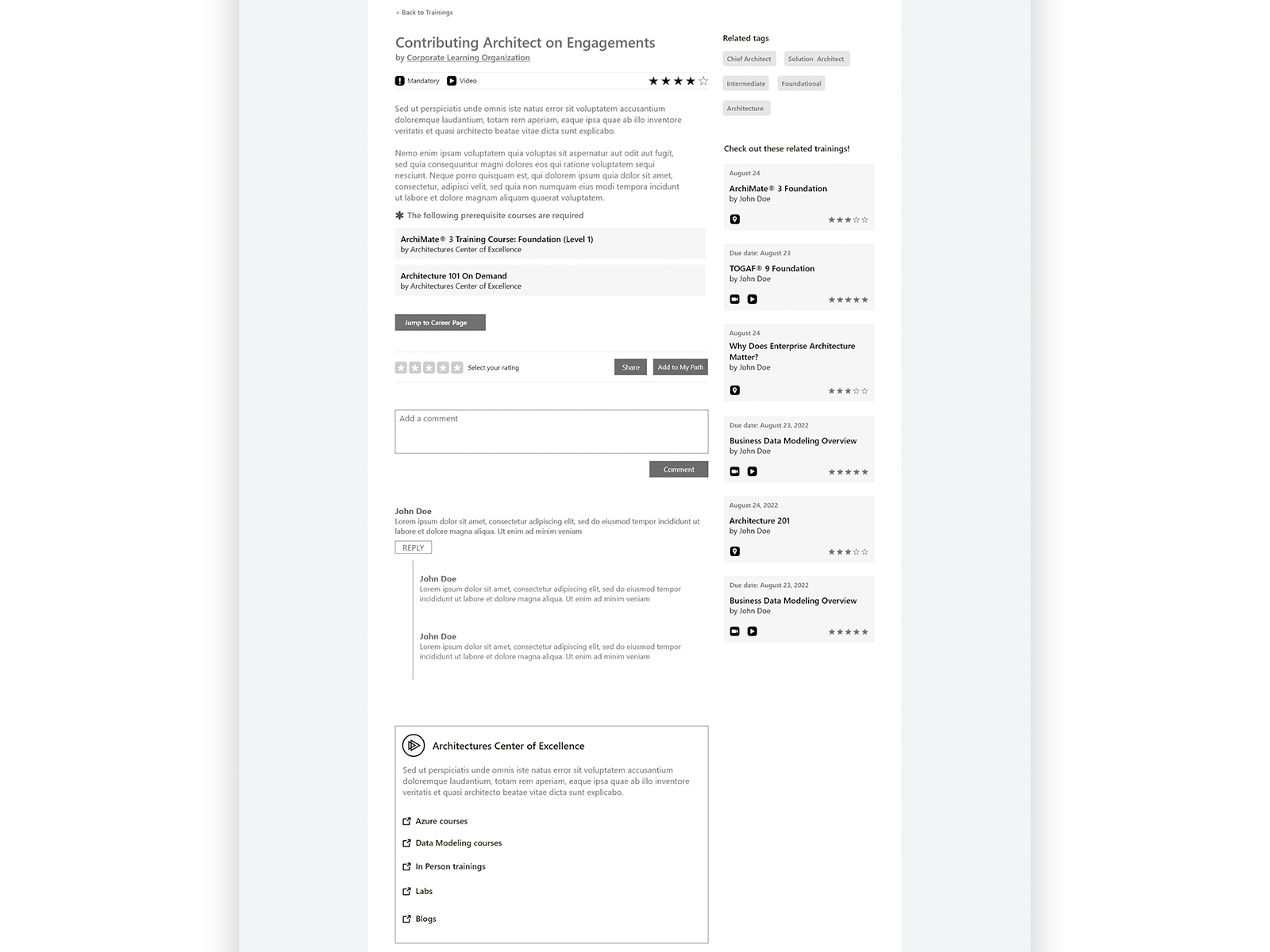
Course detail — prerequisites, ratings, and path actions. The course detail consolidates everything an architect needs to decide whether to take a course: description, format, prerequisites, rating, peer comments, and related trainings. Add to My Path is available directly from this screen. Prerequisites are listed explicitly because skipping foundational courses was a known problem in the existing community, surfacing them here prevents architects from enrolling in content they are not ready for.
Personal learning roadmap with progress tracking
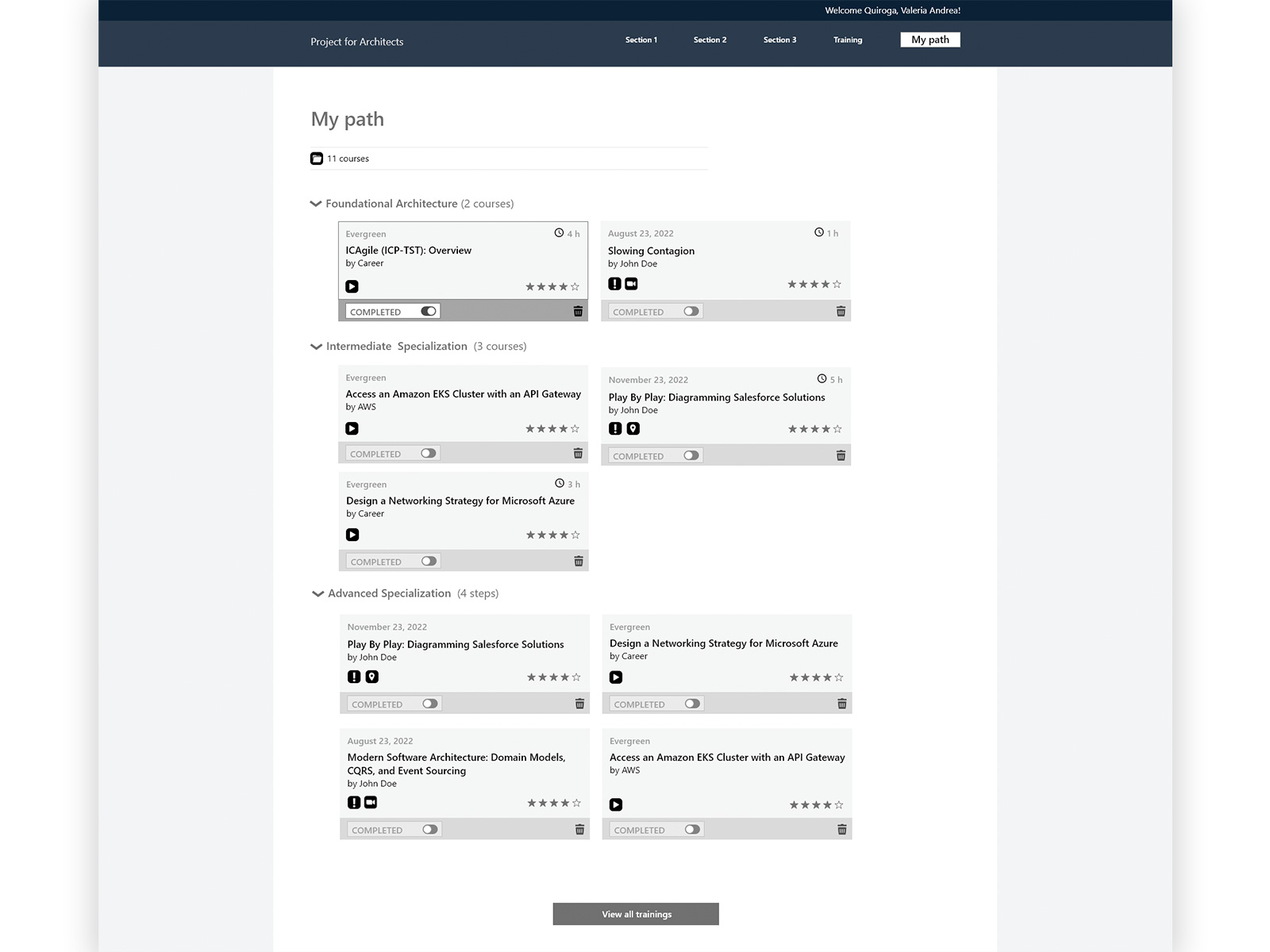
My Path — personal learning roadmap with manual completion tracking. Courses added to My Path are organized by level: Foundational, Intermediate, and Advanced Specialization. Completion tracking uses a manual toggle because connecting course completion data automatically was not technically feasible within the existing infrastructure. Rather than removing the feature, the toggle gives architects control over their own progress without requiring system integration, keeping the feature functional within real constraints.
A career roadmap, not just a catalog
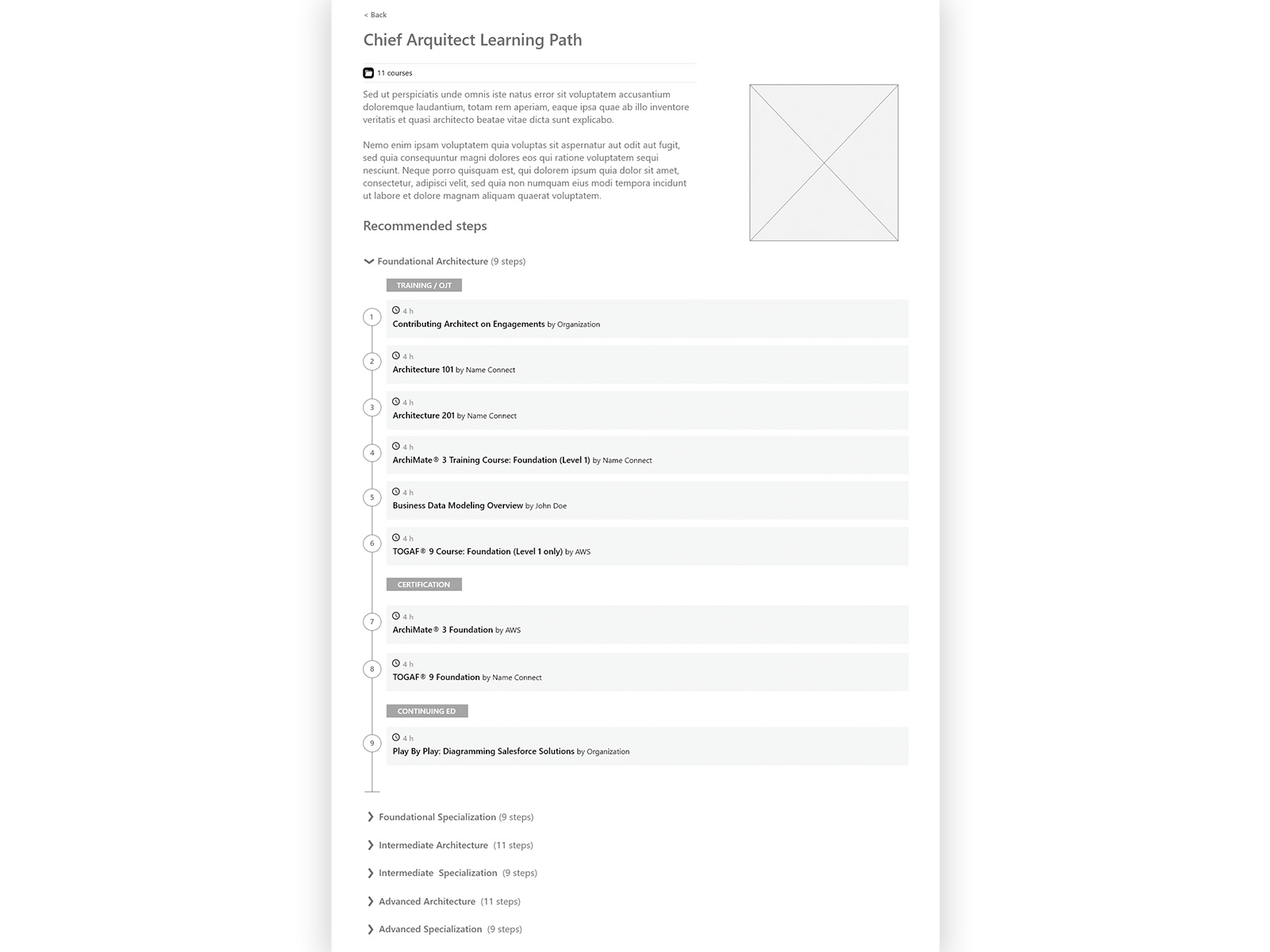
Role-based learning path — structured progression by level. Each architect role has a learning path defining the recommended sequence of courses across foundational, intermediate, and advanced levels, subdivided into Training, Certification, and Continuing Education. This transforms the catalog from a collection of courses into a career development tool. Architects follow a clear progression toward their target role rather than assembling their own curriculum from scratch.
With 60+ courses across multiple dimensions — role, level, type, region — faceted filtering gave architects precise control without requiring them to know what to search for
Borrowing a familiar card pattern from video platforms gave each course immediate visual scanability — title, provider, duration, format, and rating at a glance — reducing cognitive load in a dense catalog
Structured paths for each architect role gave users a clear progression model — not just a catalog, but a career roadmap that scales as the catalog grows
Delivered solo. Feedback strong enough to lead to the next project.
The portal was delivered with full design specs and HTML/CSS documentation for the development team. The architecture community's feedback was strongly positive, and the same team invited me back to lead the subsequent project — the strongest signal a designer can get in an enterprise context.