DropZone. Bulk Document Delivery & Metadata Management Tool
End-to-end UX/UI design for complex operational workflows. Designed a web tool for engineering teams to upload, organize, and submit large volumes of technical documents, with inline metadata editing across thousands of files, multi-level error handling, and workflow logic built for operational precision.
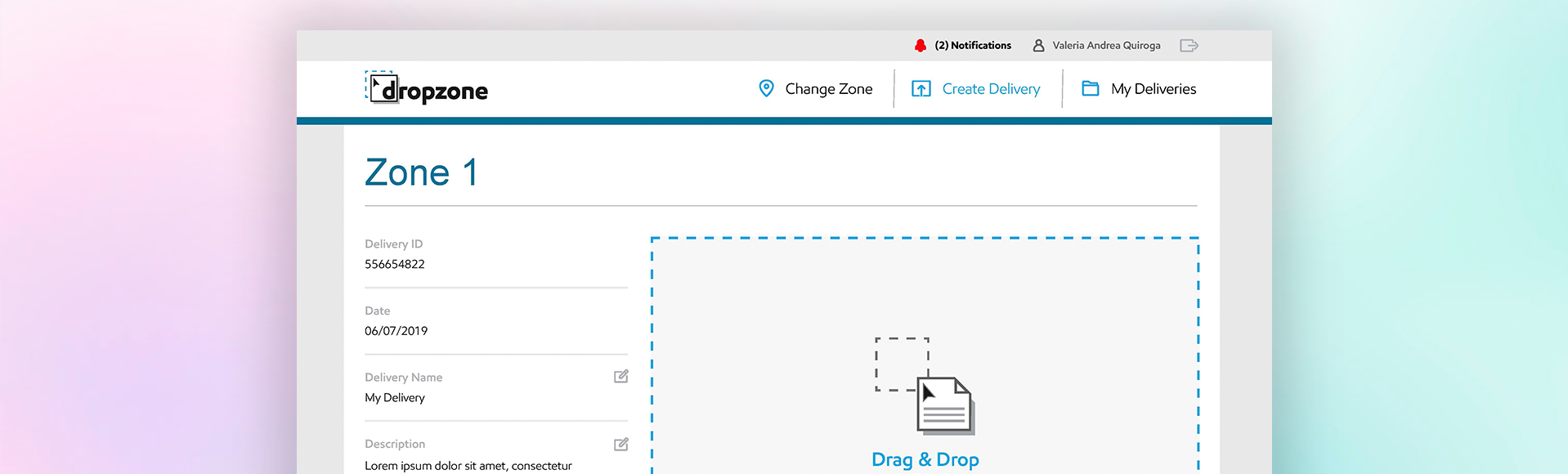
Managing thousands of technical documents, without losing control
Engineering teams needed to deliver large batches of technical documents, up to 1,000+ files per delivery, each requiring precise metadata: title, revision number, tag number, equipment number, and discipline classification. The existing process was error-prone and unmanageable at scale.
The tool guides users from upload to submission with real-time error visibility, inline editing, and clear feedback at every step. A multi-level notification system (Error, Warning, Notice) keeps teams informed across all active deliveries. Existing corporate design system components were extended to cover data-dense interaction patterns not previously addressed.
Four states — one view
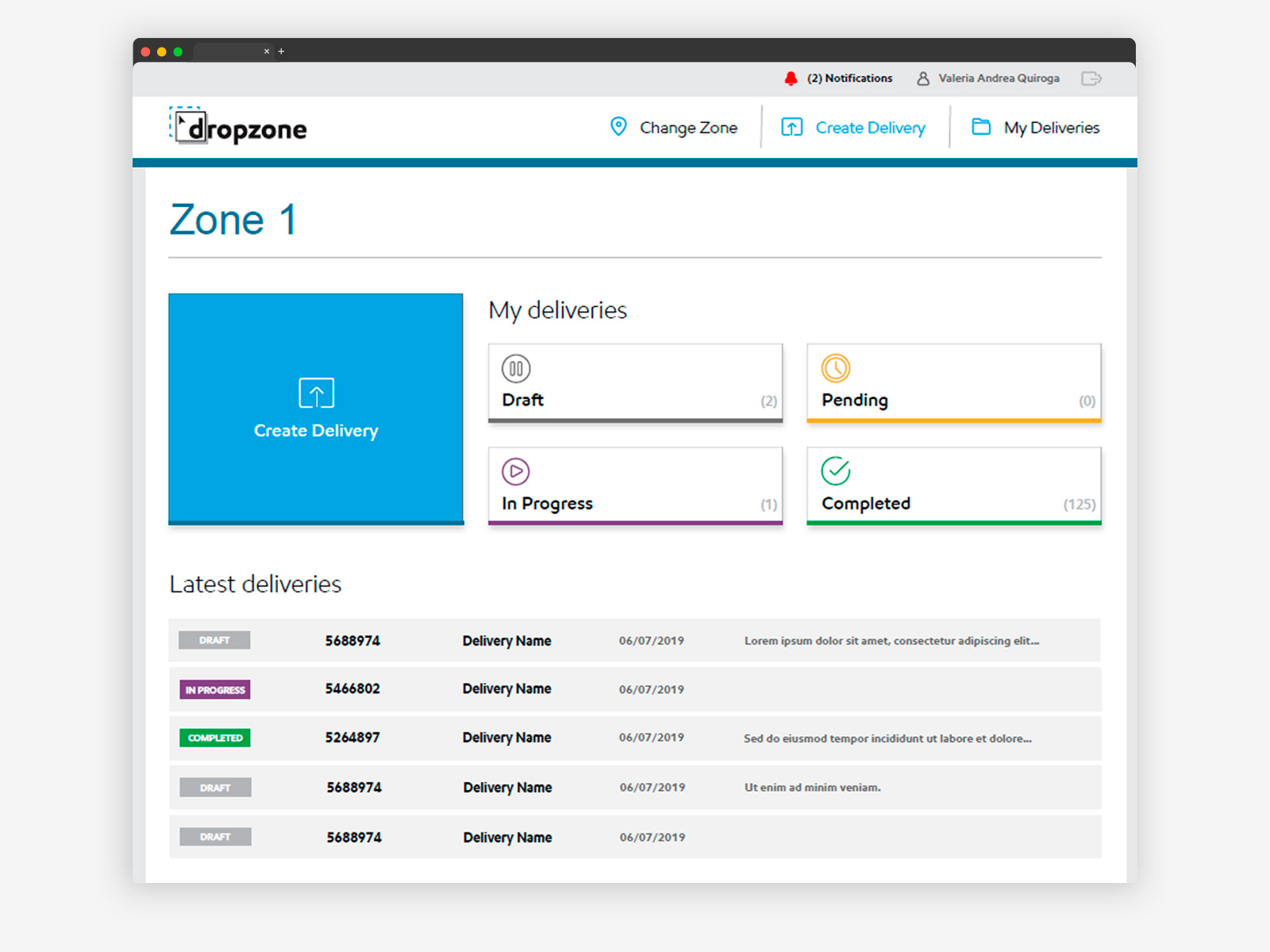
Delivery dashboard — four states, one view. Every delivery lives in one of four states: Draft, Pending, In Progress, or Completed. Each state has a distinct icon and color to reduce scanning time. The dashboard shows counts per state and a chronological list of recent deliveries below, giving teams an immediate read on workload without opening individual records.
From drag and drop to clean delivery
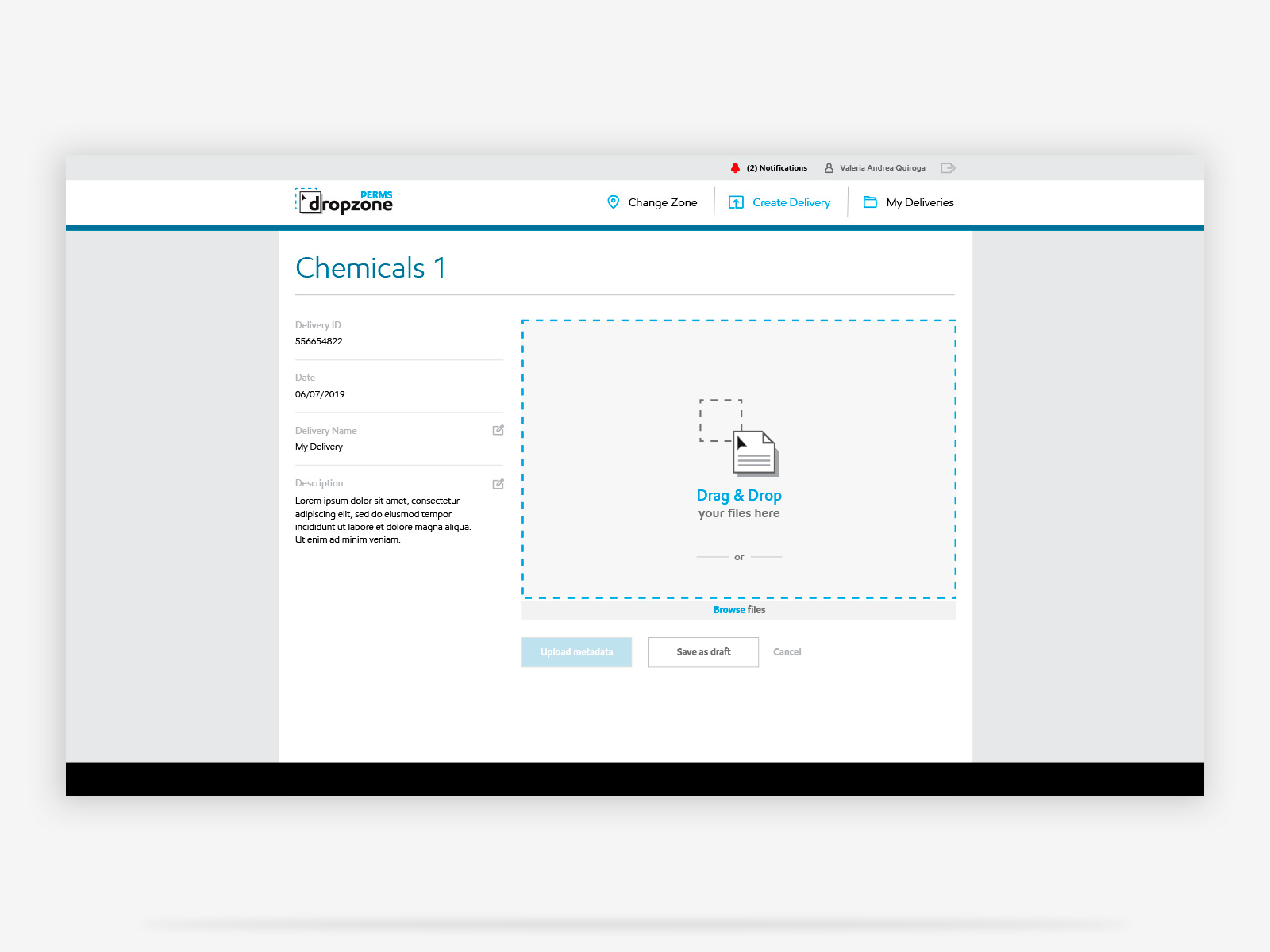
Upload — delivery context always in view. Delivery metadata stays visible on the left while files are dropped on the right. This two-panel layout prevents users from losing context during upload, a deliberate decision for a workflow where the delivery details need to match the files being submitted. Save as draft is available at this stage so teams can pause and resume large uploads without losing progress.
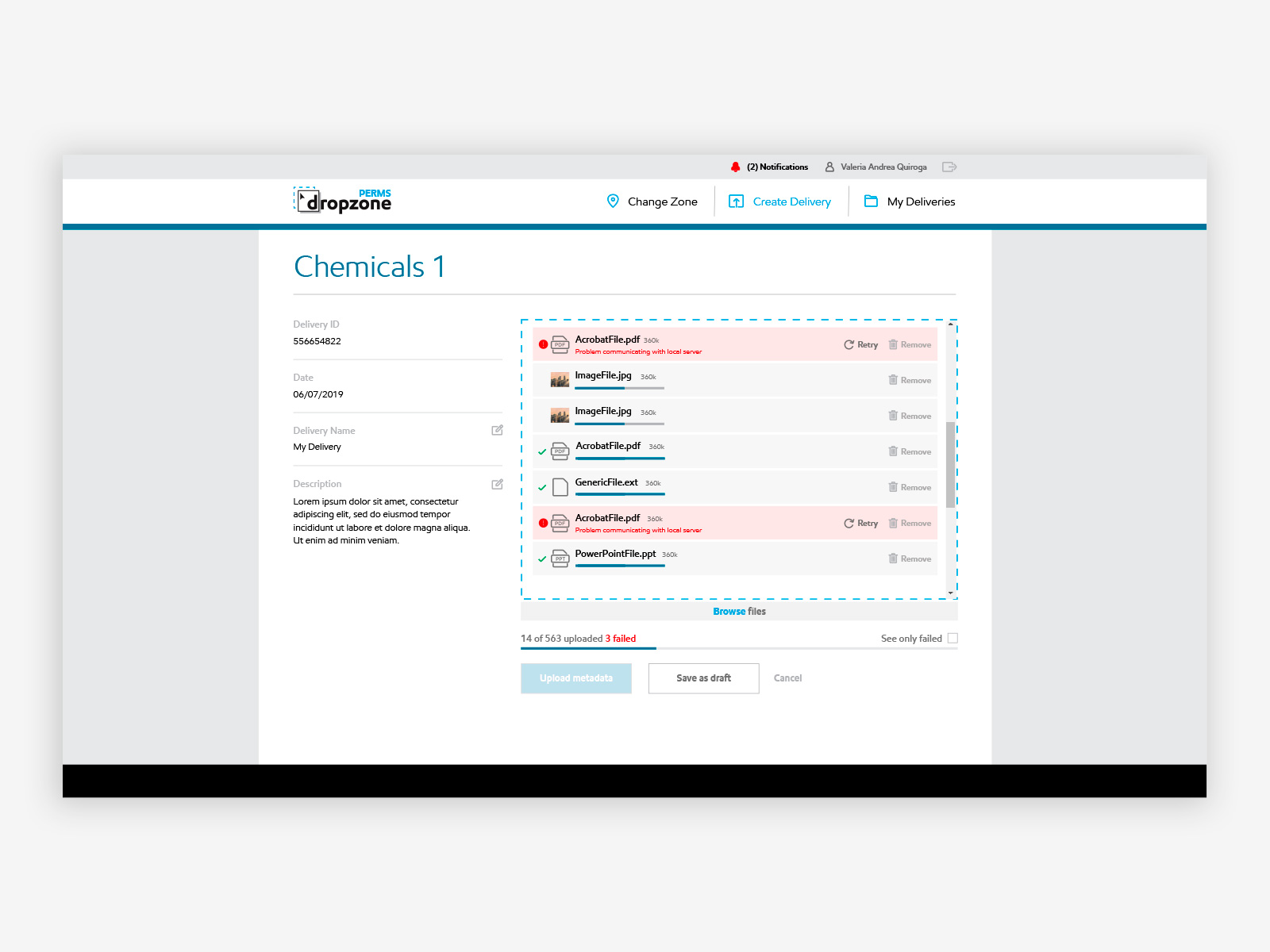
Upload in progress — per-file error handling. Failed files are flagged individually with a specific error message and a Retry option, rather than halting the entire upload. This was a critical design decision: restarting a 563-file upload because of three failures is not acceptable in an operational context. The counter at the bottom tracks total uploaded and failed simultaneously. See only failed filters the list so users focus where it matters without scrolling through hundreds of successful rows.
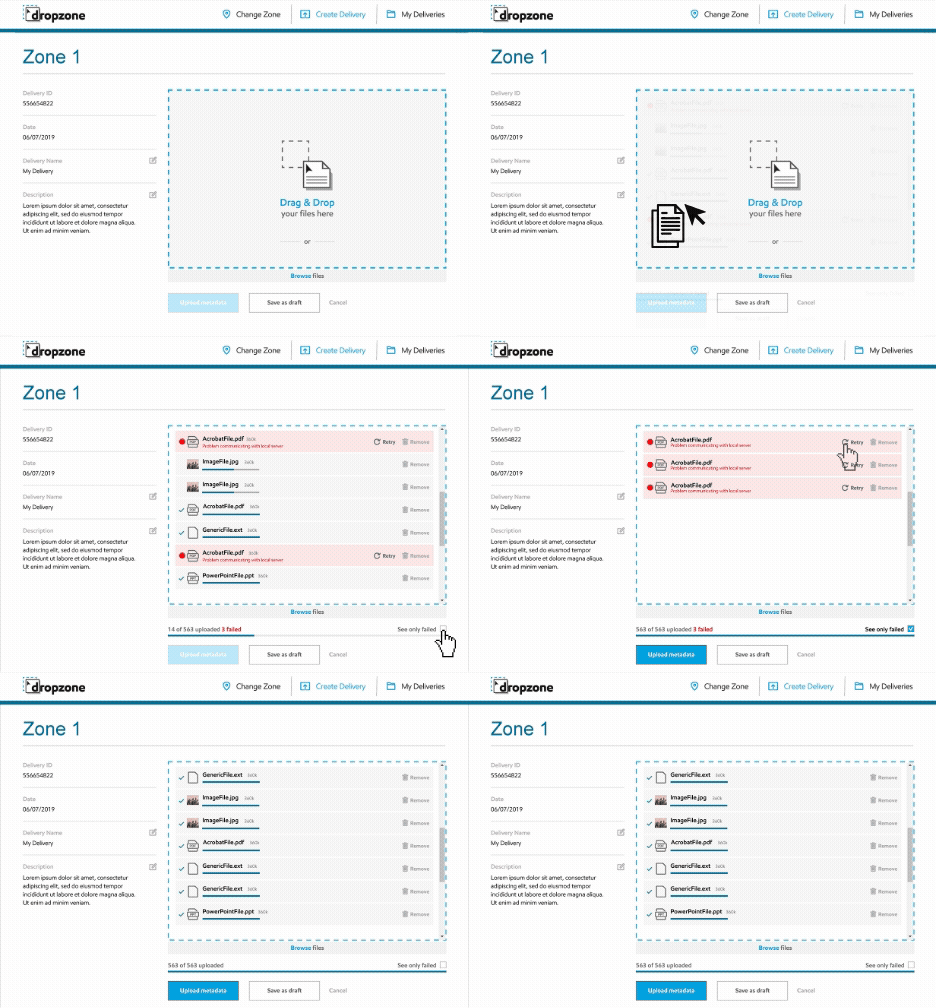
Upload flow — real-time progress and error tracking. The upload flow surfaces failures as they happen, not at the end. Each file resolves independently so teams can retry individual failures while the rest of the upload continues. This pattern reduces the time between upload start and a clean, submittable delivery, which matters when batches contain hundreds of files and submission deadlines are fixed.
Inline editing at scale
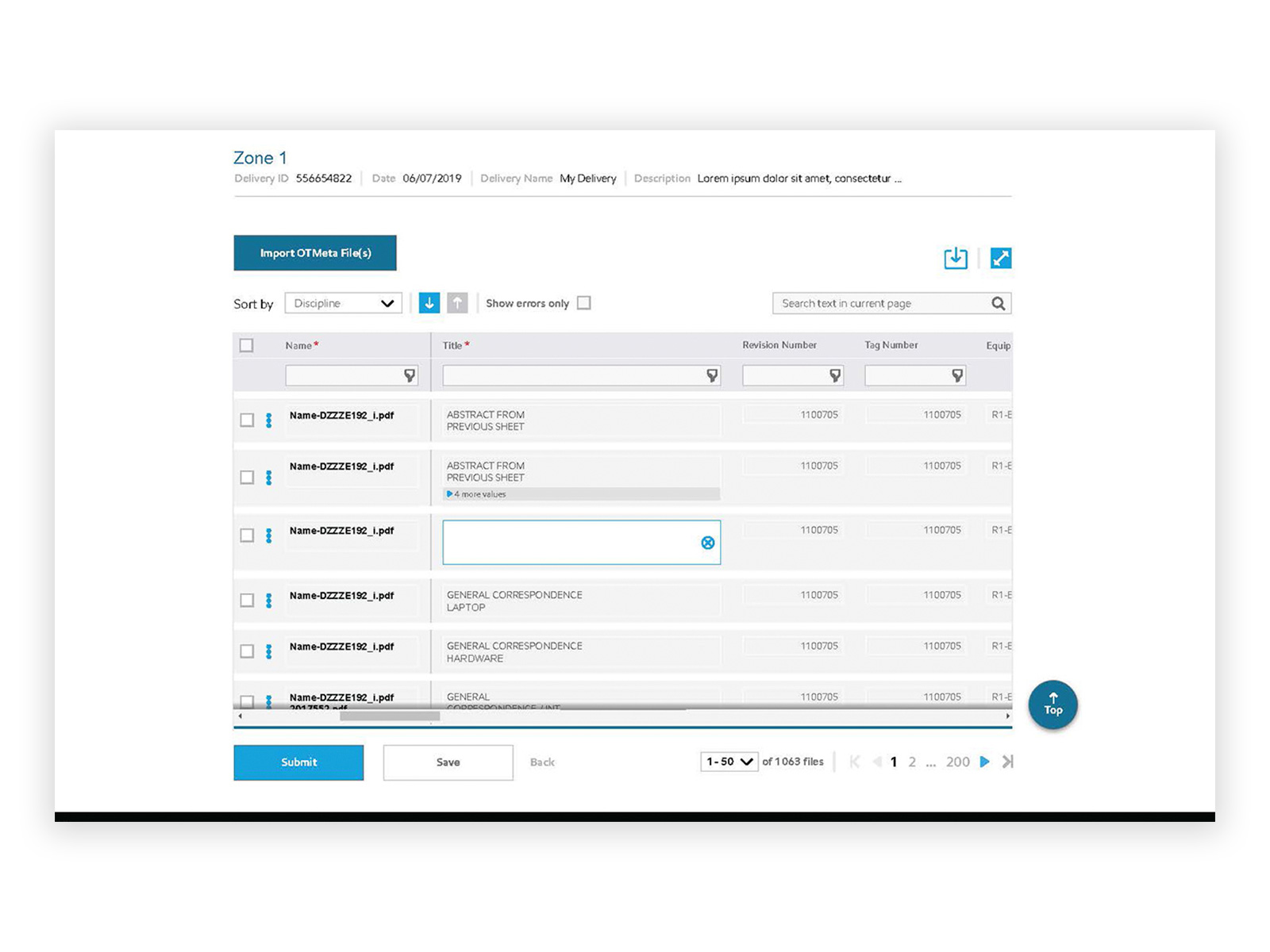
Metadata table — inline editing at scale. Every file requires five metadata fields before submission. Designing this as an inline table rather than individual file forms was the only viable solution at 1,000+ rows: opening a form per file would make metadata completion take hours. Required fields marked with a red asterisk guide completion. Column filters and sort controls let users navigate large datasets by discipline, revision, or error state without losing their position.
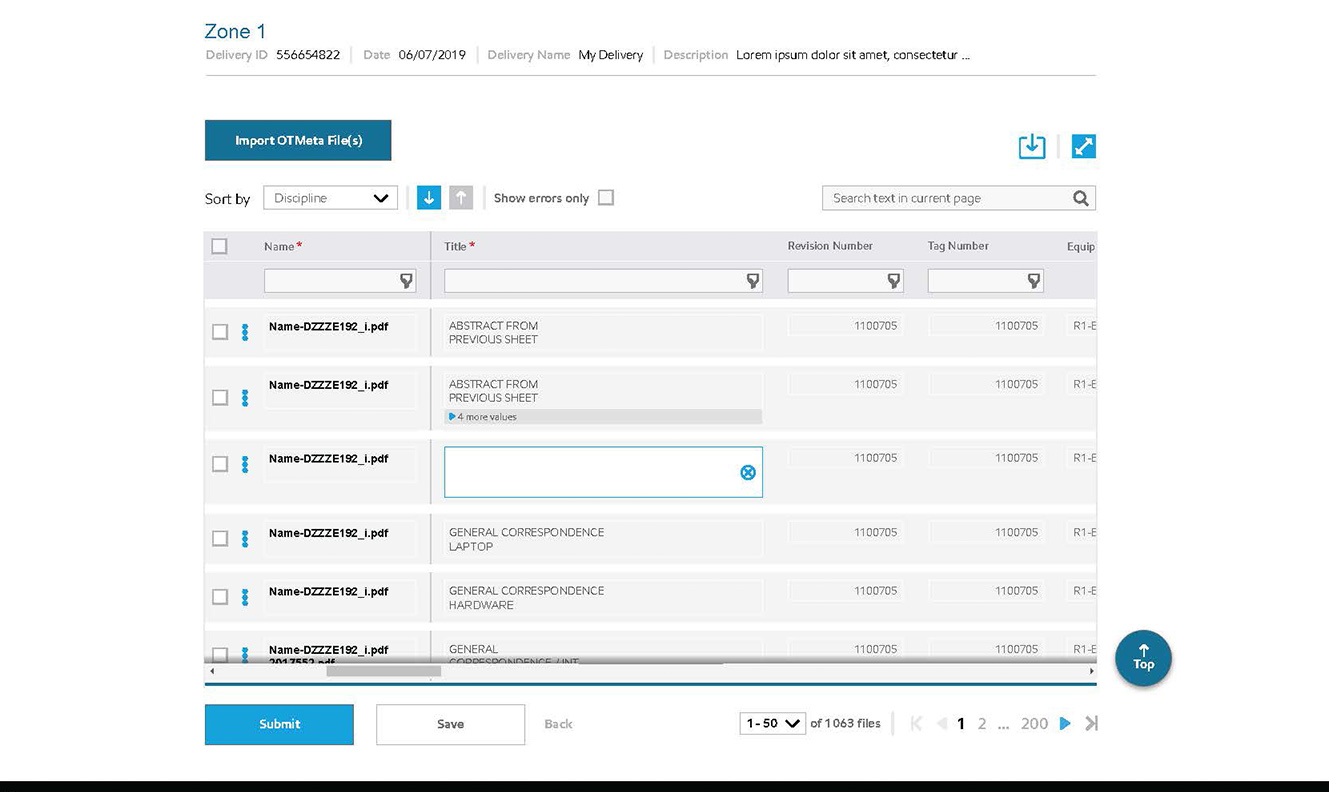
Inline editing — no forms, no context switching. Metadata fields open for editing directly in the row without launching a separate form or modal. At 1,000+ rows, any pattern that takes users out of the table context multiplies the time and cognitive load of completing a full delivery. The cell highlights on focus, changes are saved per field, and the user never loses their position in the dataset.
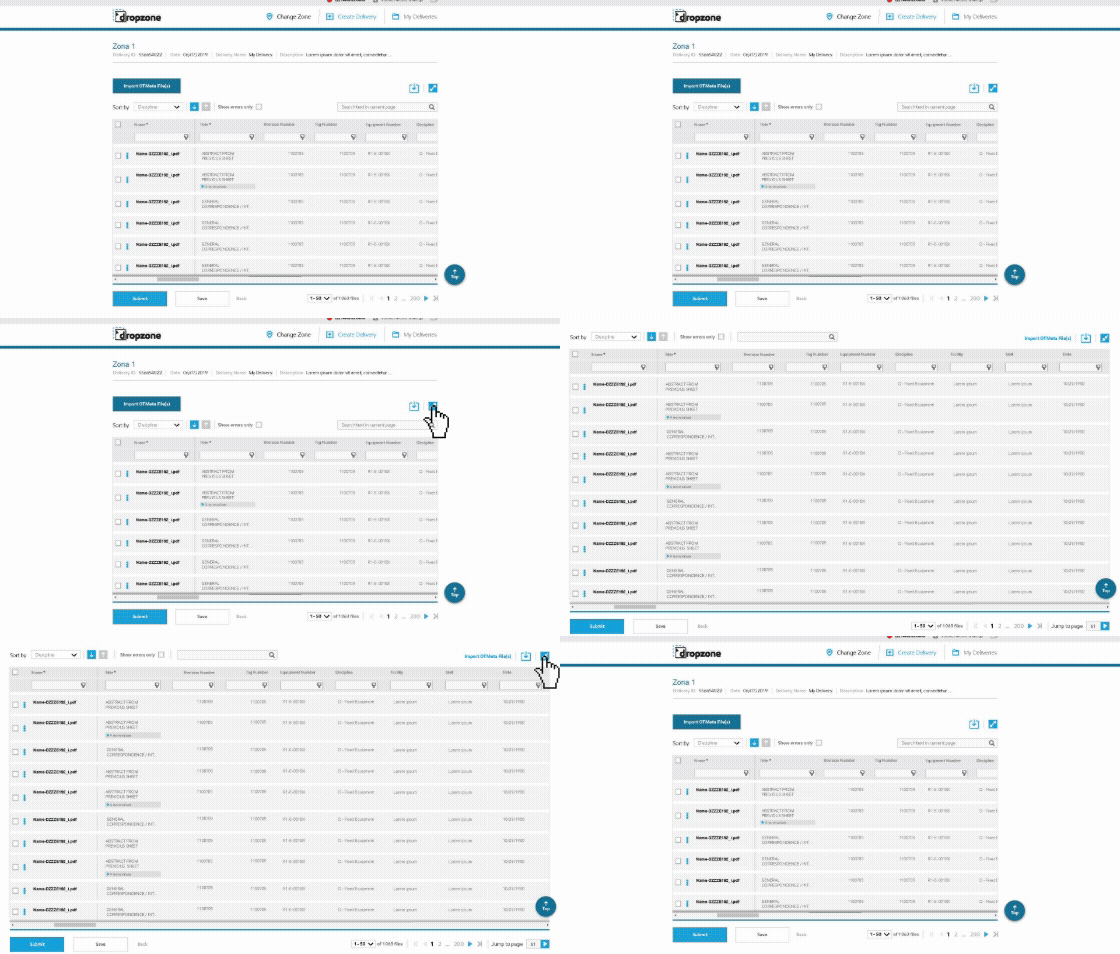
Fullscreen mode — designed for data density. The metadata table has nine columns. On standard screens, some are hidden behind horizontal scroll. Fullscreen mode was designed specifically for this constraint: it maximizes visible columns simultaneously, eliminating the need to scroll horizontally while editing. Power users managing large deliveries can cross-reference fields across a row without losing their position in the dataset.
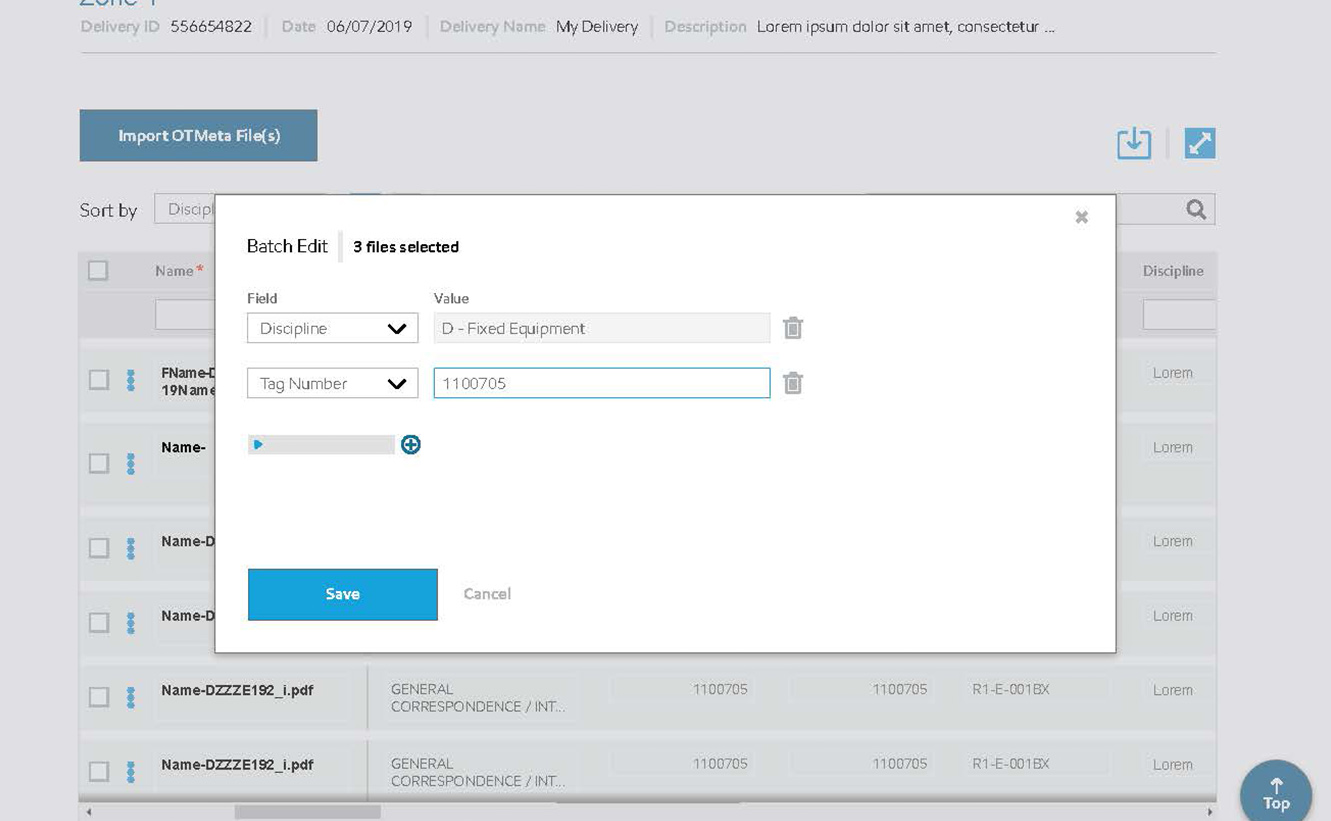
Multi-value editing — without leaving the table. Some documents belong to more than one tag number or equipment number. Rather than duplicating rows or forcing users to navigate away, a modal handles multiple value assignment inline. Values stack with individual remove options, keeping the full assignment visible. The pattern follows the same interaction logic used across other enterprise tools in the system, reducing the learning curve for existing users.
Human tone under pressure
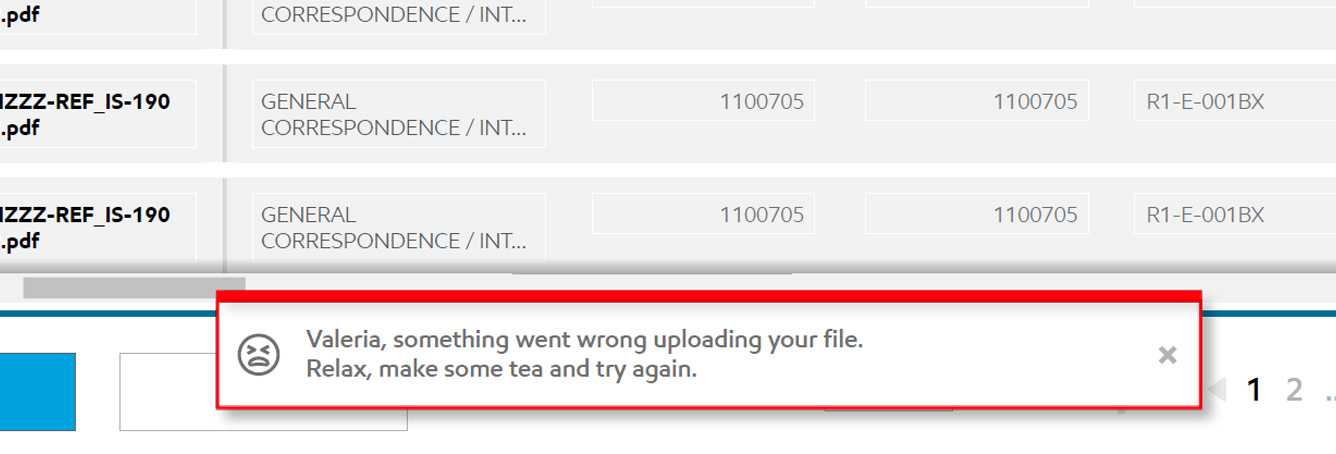
Error messaging — human tone under pressure. "Valeria, something went wrong uploading your file. Relax, make some tea and try again." Addressing the user by name and using plain, calm language was a deliberate decision. Engineers working under submission deadlines experience real stress when uploads fail. A human tone at this moment reduces anxiety and keeps users from abandoning the workflow, which would mean losing all progress on a large delivery.
A tool built for operational precision, at any scale.
The interface made it possible for engineering teams to manage complex document deliveries, with full metadata control, visibility over errors, and a clear workflow from upload to submission. Designing for data density at this scale required careful attention to hierarchy, feedback, and the moments where things go wrong.